

-1.8 C
New York
Tuesday, March 3, 2026

Buy now

spot_img
Home Blog Page 18

Don’t Miss Out: Here’s How to Get FREE Windows 10 Updates Until 2026!”

Attention all Windows 10 users! Today’s the day when Microsoft’s official support for our beloved OS comes to an end. The last update is rolling out, and after that, no more updates will be delivered. But wait, don’t throw your hands up just yet! There’s a lifeline, and it’s called Extended Security Updates (ESU).

Microsoft has never offered this to consumers before, but now you can get extended support for your Windows 10 PC until October 2026. And the best part? It’s free! But there’s a tiny catch – you need to sync your PC settings to OneDrive. Don’t worry, we’ll guide you through the process step-by-step.

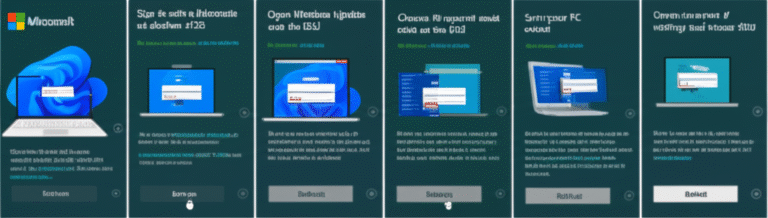
1. Sign in with a Microsoft account

First things first, ensure you’re signed into a Microsoft account on your Windows 10 PC. If you’re using a local account, switch to a Microsoft account. You can do this in Settings > Accounts > Your info.

2. Open Windows Update and click on the ESU offer

Open the Windows Update panel by typing ‘Windows Update’ in the taskbar search box and clicking on ‘Check for updates’. You’ll see an ‘Enrol now’ option under the ‘Windows 10 support ends in October 2025’ box. Click on it.

3. Choose to enrol in the ESU

You’ll see a panel about enrolling in Extended Security Updates. Click on ‘Next’.

4. Sync your PC settings if necessary

If you’ve already synced your settings to OneDrive, you’ll see a panel saying you’re eligible for free extended updates. Click on ‘Enrol’ after reviewing Microsoft’s terms of use and privacy statement.

If you haven’t synced your settings, you’ll see an option to do so. Select that and click on ‘Next’, then ‘Enrol’. Remember, you’re only syncing your Windows 10 settings, not your personal files or apps.

If you don’t want to sync, you can pay $30 or use 1,000 Microsoft Rewards points instead.

And there you have it! You’ve successfully enrolled in the ESU program and secured free updates for your Windows 10 PC until 2026. Stay safe and keep your PC up-to-date!

Pixel 10 Users, Rejoice! Google Finally Fixes Maddening Random App Crashes”

If you’ve been the proud owner of a Google Pixel 10 since its August launch, you might have been pulling your hair out due to some seriously annoying app crashes and freezes. But hold onto your hats, folks, because Google seems to have finally nailed down the issue and fixed it!

Android Police’s founder, Artem Russakovskii, spilled the beans that Google treated this as a high-priority internal incident. Their engineers were on the case, working overtime to sort out what was becoming a major headache for many users. And guess what? They’ve managed to fix it with a server-side tweak, which means no pesky software updates for you to install.

Now, we might not get an official announcement or explanation from Google, but hey, who needs words when the problem’s gone, right? If you’ve been dealing with these bugs, a simple reboot should do the trick, and they should be history.

But what caused all this chaos in the first place? Users reported that their Pixel 10 Pro XLs were suddenly hit by an unknown issue, with many apps freezing or refusing to load. Some even suspected it was Google Play services causing the trouble. The issue seemed to be widespread, affecting various Pixel 10 models, and some users thought it was linked to an October software update.

While some users found a temporary fix by uninstalling Google Play Services, it wasn’t a perfect solution. It seems Google has now stepped in and sorted it out for good, though. Let’s hope they can keep these kinds of issues at bay in the future.

So, Pixel 10 users, it’s time to celebrate! Your phones should now be running smoothly again. And if you’re thinking of picking up a Pixel 11 (yes, it’s already in the pipeline), here’s hoping Google’s learned from their recent troubles.

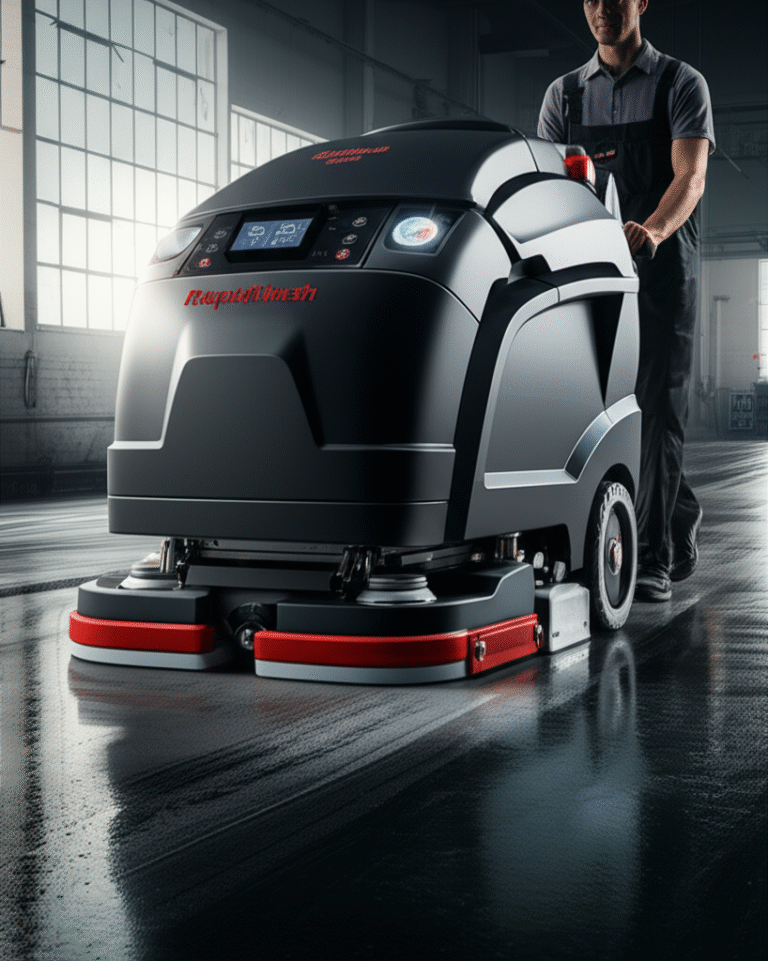
Meet the Beast: Eureka RapidWash 730 – A Heavyweight Champion of Hard Floor Cleaning!”

🚀 First Impressions: A Powerful, American-Built Beast
Eureka’s RapidWash 730 is a heavy-duty wet-and-dry hard floor cleaner that’s built like a tank. With its roots in the US and now Chinese-owned, this machine is a powerhouse that’s ready to tackle your toughest cleaning jobs. It’s a bit on the chunky side, but don’t let that deter you – this beast means business!

🌟 Edge-to-Edge Cleaning: A Game-Changer
What sets the RapidWash 730 apart is its edge-to-edge cleaning capability. Eureka’s clever design ensures that the mop roller covers the entire width of the floorhead, allowing you to clean along baseboards from both sides. No more missed spots or awkward maneuvering!

💨 Superior Cleaning Performance
This machine doesn’t just look tough; it cleans tough too. The RapidWash 730 delivers impressive results, handling both liquid and solid spills with ease. Its powerful suction and smart AI-powered cleaning modes ensure that your floors are left sparkling clean in just a few passes.

💪 Heavy but Maneuverable
At 11.5 lbs (5.2 kg), the RapidWash 730 is no lightweight. However, its excellent steering mechanism and motorized roller make it surprisingly easy to maneuver around furniture and tight corners. Just be prepared for a bit of a workout during longer cleaning sessions.

🕒 Battery Life: Decent, but Recharge Time is Long
With a 40-minute runtime in Auto mode, the RapidWash 730 should be enough to clean most homes in one go. However, its 4-hour-plus recharge time is a bit of a letdown. If you’re short on time, you might want to consider a model with faster charging.

💰 Value for Money: Decent, but Not a Bargain
At its full price of $499.99, the RapidWash 730 is a bit on the pricey side. While it’s undoubtedly a competent hard floor cleaner, there are other models out there that offer better value for money.

Should You Buy the Eureka RapidWash 730?

👍 Buy it if:
– You have a large home with extensive hard flooring.
– You’re a pet owner and need to tackle liquid messes regularly.
– You appreciate a robust, well-engineered machine that gets the job done.

👎 Don’t buy it if:
– You’re not particularly strong, as it’s the heaviest wet-and-dry vacuum on the market.
– You have a small household, as it’s rather large and overkill for smaller spaces.
– You’re looking for a bargain, as there are better value options available.

Final Verdict:
The Eureka RapidWash 730 is a powerful, American-built wet-and-dry vacuum that delivers excellent cleaning performance. Its edge-to-edge cleaning capability is a game-changer, and it’s surprisingly maneuverable despite its weight. However, its high price and long recharge time might give you pause. If you’re looking for a heavy-duty hard floor cleaner and don’t mind the extra bulk, the RapidWash 730 is a worthy contender.

🚨 Black Friday Early Bird! Dell’s Windows 11 Laptops Slash Prices! 💥

Attention, tech-savvy shoppers! Black Friday might still be a few weeks away, but Dell’s already serving up some mouthwatering deals on Windows 11 laptops that’ll make you say “Yes, please!” 😋

Budget Buster Alert!

If you’re on the hunt for a reliable workhorse that won’t break the bank, look no further than these Dell delights:

– Dell 16 Pro Plus for just $499 (was $1,309)! This mid-range powerhouse packs a punch with its impressive specs and sleek design. Our team at TechRadar swears by it!

– Dell 14 Plus for $649 (was $1,099)! Another fantastic mid-range option, this laptop offers a winning combination of performance, value, and a stunning 2.5K display.

Budget-Friendly Beast

For those watching their pennies, the Dell 15 laptop for $399 (was $549) is a steal! Sure, it’s not fancy, but with a Core i5 chipset and 16GB RAM, it’s perfect for everyday tasks without emptying your wallet.

Deal of the Century?

Prepare to be amazed by this jaw-dropping offer:

– Dell 16 Pro Plus for a mere $500 (was $1,309)! With an $800 discount, you’ll get a fantastic Ryzen 5 Pro chipset, 16GB RAM, and a 512GB SSD. Talk about a bargain!

More Dell Deals

But wait, there’s more! If you’re still hunting for the perfect Windows 11 machine, check out Dell’s full range of laptop deals here.

Windows 10 Users: Don’t Panic!

If your current laptop isn’t ready for Windows 11, don’t hit the panic button just yet. Our Windows 10 End of Life guide and live blog have got you covered with expert tips and tricks to keep your old machine running smoothly or help you find the perfect upgrade. Stay tuned! 👍

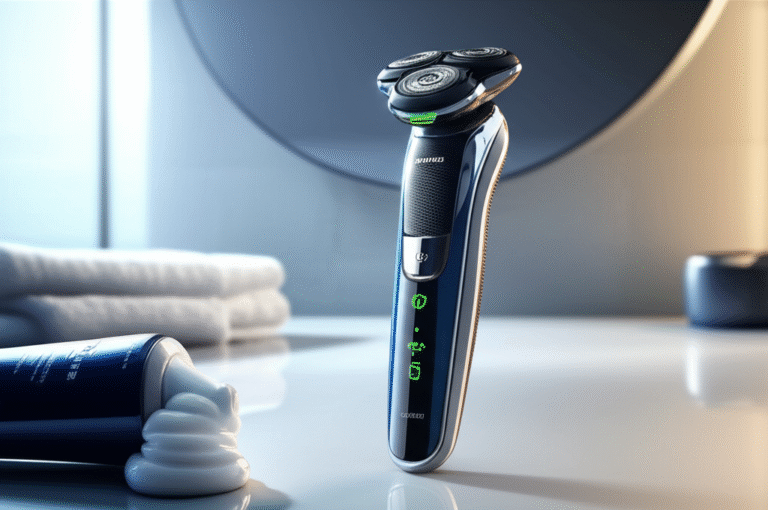
Splurged on Philips i9000 Electric Razor? Here’s My Six-Month Love-Hate Relationship!”

Philips i9000 Electric Shaver: A Two-Minute Review

Before I took the plunge and bought the Philips i9000 electric shaver, I was making do with a cheap $35 / £30 model from Amazon. But after six months of painful shaves, I decided to invest in a premium model – and boy, did I feel the pinch! The i9000 cost me 10 times more, but with a 50% off sale, it was a little easier to swallow at around $300 / £230.

First Impressions: Smooth as Silk

The i9000’s agile triple-head electric shavers glide over my face like a dream, handling tricky contours like my jawline with ease. It feels great in the hand, too. The pressure indicators are a godsend – they light up green, blue, or orange to tell me if I’m applying too much, too little, or just the right amount of pressure. No more irritation, just a close, smooth shave every time.

Battery Life: Not Bad, Not Great

The battery life is decent, but not amazing. I’m seeing a 3% reduction per shave, which means it’s good for about 30 shaves before needing a recharge. Philips provides a wall-mounted USB-A charging base, but I wish it was USB-C for easier travel charging.

Waterproof and Versatile

The i9000 is waterproof, so it handles wet and dry shaves like a champ. The flip-out trimmer on the underside is handy for tidying up my beard edges and catching any stray nose or ear hairs.

The Honeymoon’s Over

After six months, I’ve noticed the i9000’s heads have lost some of their cutting effectiveness. They’re still fine, but they require a bit more effort than they did on day one. Replacement heads aren’t too expensive, but I suspect I’ll need to swap mine yearly, not every two years as Philips suggests.

The i9000 vs. Old School Shaves

Don’t believe the hype – the i9000 isn’t as close as a proper wet shave with a safety razor. But I’ve been super happy with it, and I haven’t touched my old wet razor since I made the switch.

Value for Money: Hit or Miss

The i9000 is almost always available for less than half the list price, making it a more palatable purchase. But even at a discount, it’s still not the best value for money. Replacement heads are around $65 / £40 / AU$106, and I suspect I’ll need to replace them yearly, not every two years as Philips suggests.

Final Thoughts

The Philips i9000 electric shaver is a premium product that delivers a premium shaving experience. It’s agile, versatile, and comfortable to use. But it’s not perfect – the battery life could be better, and the charging base isn’t the most convenient. If you’re looking for a top-of-the-line electric razor, the i9000 is one of the best on the market. Just be prepared to pay for it.

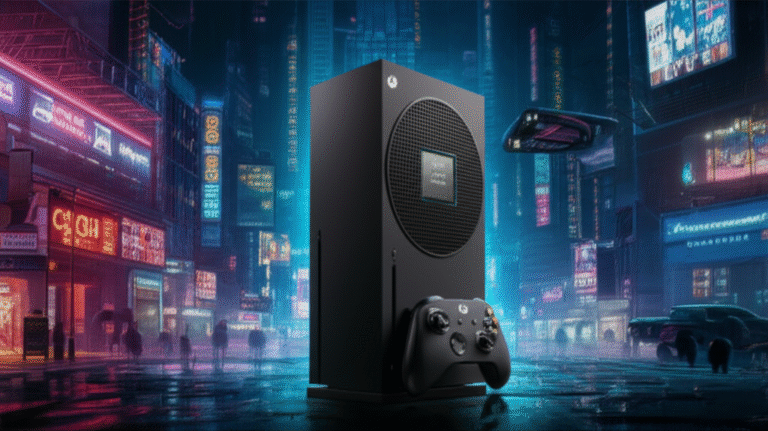
Leak Alert! Next Xbox Blows PS6 Out of the Water, But at a Premium Price”

Buckle up, gamers! A new leak from the tech grapevine suggests that the next Xbox console might just outmuscle the PS6, but it’s going to cost you a pretty penny. The leaker, ‘Moore’s Law is Dead’, spilled the beans on what he claims is the main processor for the next Xbox – the AMD Magnus APU. This powerhouse combines a CPU and a GPU, and it’s set to make Microsoft’s next console a beast.

According to the leaker, the Magnus APU is a whopping 46% larger than what’s supposedly headed for the PS6. That means more power, and potentially, a higher price tag. The next Xbox could retail between $800 and $1200, according to the leaker, making it pricier than the PS6.

But here’s the kicker – this power might not be as noticeable on your TV. The leaker believes that the next Xbox, which is rumored to be more like a PC, will shine on gaming monitors. We’re talking 4K at a smooth 144FPS, compared to the PS6’s 4K 120FPS.

So, while the next Xbox might not be a game-changer for couch potatoes, PC gamers could be in for a treat. But remember, these are just leaks, and we’ll have to wait for official word from Microsoft to know for sure.

In the meantime, keep your eyes peeled for more Xbox news, and stay tuned to TechRadar for all your gaming updates!

🚨 Battlefield 6 Just Dropped: Check Out These Game-Changing Updates! 🚨

Alright, soldiers! Battlefield 6 has hit the ground running, and it’s bringing the heat to PC and consoles. We’ve got a gripping campaign, a smorgasbord of multiplayer modes, and a new season on the way in October. In our expert opinion, Battlefield 6 is a massive upgrade from its predecessor, with a multiplayer that’s “electric” and a class system that’s as well-designed as it is deadly.

Now, let’s dive into the latest patch notes, which arrived alongside the game’s launch on October 10, 2025. These updates are no joke – they’re packed with improvements that’ll make your gaming experience smoother than ever.

Movement Tweaks:
– Sliding and jumping now feel more natural, with reduced momentum and lowered jump height.
– Firing while airborne or sliding will make you less accurate – watch your aim!

Weapon Balancing:
– Recoil tuning and adjustments mean more consistent gunplay – say goodbye to those unpredictable spray patterns!

Game Modes Revamped:
– Rush and Breakthrough layouts have been revised to give both Attackers and Defenders a fair shot.

Map Improvements:
– Better traversal, lighting adjustments, and performance upgrades make maps more enjoyable than ever.

UI & HUD Overhaul:
– Expect clearer prompts, smoother navigation, and more accurate displays – your eyes will thank you!

Expanded Settings & Controls:
– More customization options mean you can tailor your gaming experience to perfection.

Audio Overhaul:
– Pings are clearer, weapon and vehicle sounds are refined, and missing or delayed effects are a thing of the past.

Netcode Optimized:
– Say goodbye to desync, fast time-to-death, and invisible damage – your kills will finally count!

These updates are just the beginning – keep an eye out for more major patches and quick fixes as the game evolves. For instance, on October 14, 2025, the Battlefield Comms team rolled out some backend changes, including:

– Increased ticket count for some maps in Rush mode to the intended amount of 100.
– Reduced muzzle velocity for certain weapons to keep things fair and balanced.

Stay tuned for more updates, and happy gaming, soldiers!

Windows 10’s End of Life: A Ticking Time Bomb for Your Security!”

🚨 Attention, Windows users! After October 14, 2021, using Windows 10 could be like leaving your front door wide open for hackers. Here’s why:

🛑 No More Security Updates: After this date, Microsoft will stop providing security updates for Windows 10. This means no more critical patches to protect your system from emerging threats.

📈 Millions of Unprotected Computers: Our research shows that a staggering 30% of small to medium-sized businesses (SMBs) are still running Windows 10, leaving millions of computers vulnerable.

💥 Attackers’ Dream Come True: With so many unpatched systems, threat actors will have a field day exploiting known vulnerabilities. We’ve seen this happen before – 40%-60% of global breaches involve unpatched vulnerabilities.

🔐 Why the Hold-Up? The strict hardware requirements for Windows 11 are to blame. If your computer is from 2018 or later, you’re likely good to go. But older machines, estimated to be hundreds of millions worldwide, can’t meet the cut.

🛑 Don’t Try to Bypass Microsoft’s Check: While there are workarounds, they won’t make your system supported by Microsoft, leading to future issues and incompatibility problems.

💭 Microsoft’s Stance: While some criticize Microsoft for leaving older machines behind, the reality is that modern hardware features like TPM 2.0 and UEFI Secure Boot are crucial for enhanced security.

💡 What Can You Do? You have three options: upgrade to Windows 11, decommission and replace your Windows 10 machine, or purchase Microsoft Extended Security Updates (ESUs).

📅 Act Now: If you’re still running Windows 10 after October 14 without ESUs, attackers will have a blueprint to find and exploit unpatched machines. Plus, you’ll likely violate compliance standards and void your cyber liability insurance.

💰 ESUs: A Temporary Fix: If you can’t upgrade or replace systems, purchase ESUs immediately. They’re available annually for up to three years, with prices ranging from $1 to $244 per machine, depending on whether you’re an educational institution or a business.

💻 Upgrade or Replace ASAP: After purchasing ESUs, prioritize upgrading or replacing systems to avoid maintenance issues and potential data breaches.

🔒 Don’t Be a Sitting Duck: Swift action is crucial. Don’t wait for an attack to happen – take steps now to protect your systems and data.

🔑 Can’t Find Your Windows Key? Check out our list of the best Windows product key finder software to help you out!

This article was produced as part of TechRadarPro’s Expert Insights channel, featuring insights from industry experts. The views expressed here are those of the author and not necessarily those of TechRadarPro or Future plc. If you’re interested in contributing, visit [TechRadarPro’s submission guidelines](https://www.techradar.com/news/submit-your-story-to-techradar-pro).

George Clooney’s Raw & Honest Self-Reflection in ‘Jay Kelly’ – A Netflix Must-Watch!”

Alright, let’s dive into the pool of honesty that is ‘Jay Kelly’, Netflix’s latest gem directed by Noah Baumbach. This movie is a love letter to George Clooney, sure, but it’s also a brutally honest self-examination that’ll have you questioning your own life choices. So, grab your tissues and let’s get into it.

First things first, Baumbach isn’t trying to hide his admiration for Clooney. He’s rubbing it in our faces, and you know what? I’m here for it. This indulgence is what makes ‘Jay Kelly’ work. Clooney plays Kelly, a Hollywood veteran who’s suddenly questioning his 35-year career and personal life. It’s like Baumbach is gently poking fun at the sadness that lurks in Tinseltown.

Now, I was expecting to be emotionally eviscerated by other films at the London Film Festival, but ‘Jay Kelly’ snuck up on me. It delivered a meditative heartbreak that other films couldn’t match. There’s no over-the-top drama here, just a lot of sitting, thinking, and processing. It’s like Baumbach knew we all needed a moment to breathe and reflect.

‘Jay Kelly’ isn’t just an ode to Clooney; it’s a regretful look at choices made. Kelly, much like Clooney, is a Hollywood icon, but he’s not perfect. He’s made questionable decisions, both professionally and personally. His relationship with his daughters is strained, and he’s estranged from his eldest, Jessica (Riley Keough). His youngest, Daisy (Grace Edwards), is trying to find her own path, and Kelly’s presence isn’t helping.

The film explores Kelly’s life through flashbacks, showing us the man he was and the man he’s become. It’s clear that introspection isn’t something he’s ever done, and now he’s paying the price. His family, friends, and even his publicist (Laura Dern) are all feeling the consequences of his actions.

But here’s the thing: watching Kelly’s life unravel is helpful for us viewers. It forces us to confront our own lives, our own choices. Can we truly have a work-life balance? Will our kids resent us for our career choices? Are we making the right decisions? There are no easy answers, but watching Kelly struggle to understand his accountability packs a powerful emotional punch.

Clooney is, of course, brilliant as Kelly. But he’s not the only standout. Adam Sandler delivers a heartfelt performance as Ron, Kelly’s long-suffering manager. Riley Keough is also exceptional as Jessica, the daughter trying to navigate her relationship with her father. She’s a woman in pain, and her scenes with Clooney are emotionally charged.

So, should you watch ‘Jay Kelly’? Absolutely. It’s not about Clooney, or even Kelly. It’s about all of us, and the choices we make. It’s about reflection, regret, and redemption. It’s about being honest with ourselves, and Baumbach knows just how to connect us to that feeling. So, grab your popcorn, get comfortable, and get ready to do some soul-searching. You won’t regret it.

Spoiler Alert: Nothing’s Newest Budget Wonder – The Phone 3a Lite – Is Just Around the Corner!

Hold onto your seats, tech enthusiasts! Word on the street is that Nothing is cooking up a storm with their latest budget-friendly smartphone, the Nothing Phone 3a Lite. This little gem is set to hit the markets this year, and we’ve got a sneak peek at what’s under the hood.

Color Me Intrigued

Leaked specs hint at a sleek black and white color scheme, with a single configuration that packs a punch with 8GB of RAM and 128GB of storage. But remember, folks, regional variations might shake things up a bit.

Global Launch Alert

The Phone 3a Lite is gearing up for a global release, so there’s a good chance you’ll be able to get your hands on it, no matter where you call home.

A Lite Version, Indeed

Now, let’s talk specs. The Phone 3a Lite is expected to share some DNA with its mid-range sibling, the Nothing Phone 3a. We’re talking about a 6.77-inch 120Hz screen, a Snapdragon 7s Gen 3 chipset, a 5,000mAh battery with 50W charging, and a 50MP wide camera. But here’s where it gets interesting – will it have three cameras like the CMF Phone 2 Pro, or will Nothing surprise us with a different setup?

The Million-Dollar Question

The big question is, why the Phone 3a Lite? The CMF Phone 2 Pro is already giving us serious bang for our buck, and it’s hard to see how the 3a Lite will stand out in Nothing’s lineup. Only time will tell if this new addition will be a game-changer or just another budget phone.

Stay Tuned for More

So, there you have it, folks! The Nothing Phone 3a Lite is on its way, and we can’t wait to see what it’s made of. Until then, keep your eyes peeled for more updates, and don’t forget to follow TechRadar for all the latest tech news and reviews.

Follow by Email
YouTube
WhatsApp