


5.6 C
New York
Thursday, March 5, 2026

Buy now

spot_img
Home Blog Page 23

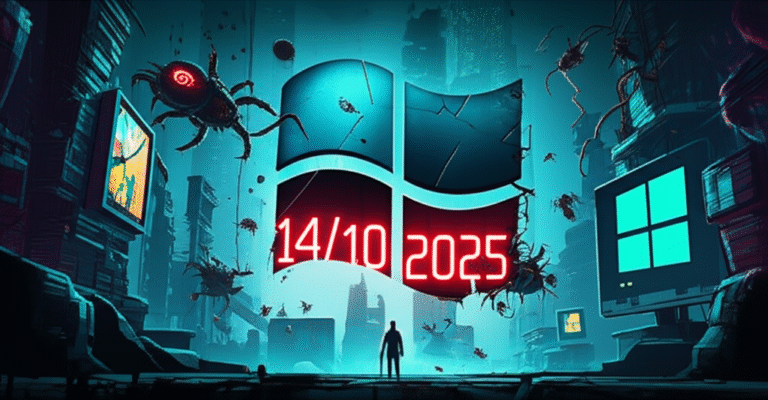
Race Against Time: Windows 10’s End of Life Looms, But Users Are Stuck in the Past”

The clock is ticking, folks! Tomorrow, October 14, marks the end of the line for Windows 10. But don’t expect a mass exodus to Windows 11 just yet. Searches for Windows 10 have skyrocketed, but it’s not because users are eager to upgrade. They’re clinging to the old OS like a life raft, and who can blame them?

Sure, Microsoft has been shouting from the rooftops about Windows 11, but the reality is, millions of users are stuck in a tough spot. Older hardware and the cost of upgrading are keeping them shackled to Windows 10, even as the security updates dwindle and the risk of malware grows.

Now, don’t panic just yet. Using Windows 10 after its end of life won’t immediately turn your PC into a hacker’s playground. But over time, it’s like leaving your front door unlocked – it’s only a matter of time before someone unwanted walks in.

Microsoft has been pushing Windows 11 hard, but the numbers tell a different story. According to Statcounter’s September snapshot, Windows 11’s share has been dropping, while Windows 10 remains stubbornly popular. It’s like a party where everyone’s invited to the latest club, but half the guests are still having a great time at the old dive bar.

The problem? Windows 11 has stricter hardware requirements. If your PC is a few years old, it might not even run the new OS. And while there are unofficial workarounds, who wants to cheat the system just to install a new operating system?

Microsoft’s solution? Buy a new PC. But that’s not always an option, especially for budget-conscious users or businesses still relying on Windows 10 machines.

So, what are users searching for? You’d think it’d be Windows 11 upgrade guides, right? Wrong. Google ‘Windows 10’ and the top result is how to download the Windows 10 disc image (ISO file). It’s like trying to find a life vest while the Titanic is sinking, but everyone’s still partying in the ballroom.

After October 14, things will change. Microsoft will likely make it harder to find and install Windows 10. But for now, users seem more interested in clinging on to the past than embracing the future.

So, what can you do? If you’re still using Windows 10, make sure you have a solid antivirus or anti-malware tool. But the smart money is on upgrading to Windows 11 or even considering alternatives like Linux or MacOS. Your PC’s security depends on it!
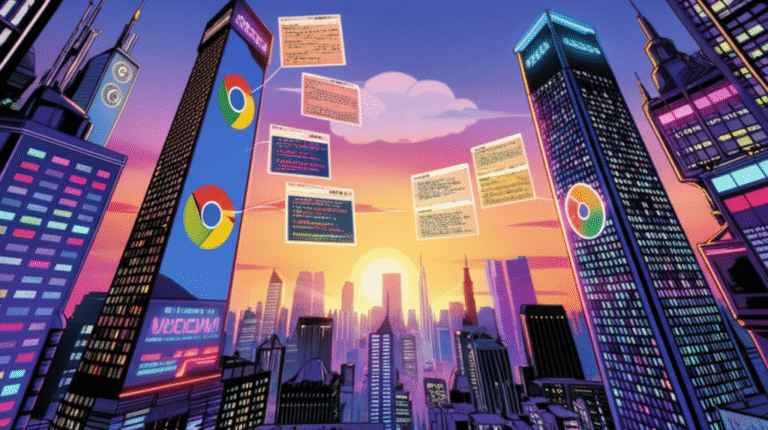

CSS Masonry: The Battle of the Browsers & The Birth of a New Layout”

💥 Attention, web devs! The CSS world’s buzzing about Masonry, and it’s not just about the layout itself. It’s about how browsers and the CSS Working Group (CSSWG) are duking it out to shape the future of web design. Buckle up, ’cause we’re diving into the drama, the debates, and the evolution of CSS features – all while keeping it real and easy to read. 🤝💥

Masonry: What’s the Buzz About?

You’ve probably seen Masonry in action on sites like Pinterest. It’s that cool layout where items of different sizes stack up neatly, like bricks in a wall. Now, the CSS world’s abuzz because Masonry’s about to get its own spot in the CSS family. But here’s the twist: two major browser teams, Chrome and WebKit, have totally different ideas on how to make it happen.

The Chrome vs. WebKit Showdown

Chrome’s all like, “Masonry’s different from Flexbox and Grid, so it deserves its own display value, like `display: masonry`.” They’ve even prototyped it in Chrome 140. Meanwhile, WebKit’s like, “Nah, Masonry should be a part of Grid. You can do it with `display: grid` and `item-flow`.” They’re both passionate, and they’ve both got their reasons. 🔥💥

How CSS Features Evolve

This isn’t the first time browsers have gone head-to-head over CSS features. Flexbox and Grid both had their share of drama before they became the specs we use today. But here’s the thing: all that debate and back-and-forth? It’s how we get better, more robust features in the end. 🌱

The CSSWG: Keeping the Peace

While browsers are duking it out, the CSS Working Group (CSSWG) is busy keeping the peace. They run on consensus, which means everyone’s got to agree – or at least agree to disagree – before a feature makes it into the spec. But even with all that debate, browsers still get to call the shots on when and how they implement features. It’s a delicate dance, but it’s how we keep the web moving forward. 💃🕺

Masonry: Where We’re At

So, where does that leave Masonry? As of now, it’s looking like Masonry will be its own display type, but it’s gotta include the word “grid” in the name. The CSSWG’s also decided to go with the proposed `item-flow` approach, and Grid will be used for layout templates. But don’t worry, there’s still plenty of room for debate and fine-tuning. 🤔

Further Reading

Feeling like you could use more CSS standards drama in your life? Check out these articles for more insights into the wild world of browser politics and standards consensus:

– Alex Russell’s post about the standards adoption process in browsers.
– Rob O’Leary’s article about struggling with `text-wrap: pretty`.
– David Bushell’s piece about the WHATWG.

Stay tuned, web devs! The CSS saga continues… 🌐💻💥

AI in Customer Service: A New Dawn, Not a Dead End!”

“Will AI spell the end of the road for customer service careers? Not quite, and here’s why! As companies embrace AI to handle basic queries, the role of customer service agents is indeed evolving, but it’s far from obsolete. In fact, AI is set to make your career more strategic and rewarding. Let’s dive in!

Where AI is Now

Let’s address the elephant in the room: AI will automate certain tasks. We’re already seeing AI chatbots handle simple queries and provide real-time updates. With agentic AI, this automation will only increase. But don’t worry, this doesn’t mean your job is at risk. Instead, it means your role is about to get more interesting!

Customer Service as a Growth Engine

As competition heats up, brands are rethinking customer service. It’s no longer just about resolving tickets; it’s about driving growth and building loyalty. AI takes care of the repetitive tasks, freeing you up to focus on creating value and delivering exceptional customer experiences.

The Power of Human Empathy

No matter how advanced AI gets, it can’t replicate human connection and empathy. Our research shows that 64% of customers still prefer human service. Imagine a customer whose expensive wedding dress hasn’t arrived on time. An AI chatbot might provide a standard apology, but a human agent can understand the emotional stakes, empathize, and use AI tools behind the scenes to solve the problem creatively and with care.

The Rise of the CX/CS Data Analyst

AI needs high-quality data to work effectively, and that’s where you come in. By becoming skilled in handling and interpreting customer data, you can future-proof your career. You’ll help refine AI systems, predict customer behaviors, and personalize communications to build loyalty.

The Future of Customer Service Careers

Customer service roles are changing, but the future looks promising. As AI takes over repetitive tasks, your role will become more strategic, rewarding, and focused on creating memorable experiences. Agents who upskill to meet these new demands and combine their human strengths with AI will enjoy long, meaningful careers in customer experience.

So, embrace AI as your partner, and get ready to take your customer service career to the next level!”

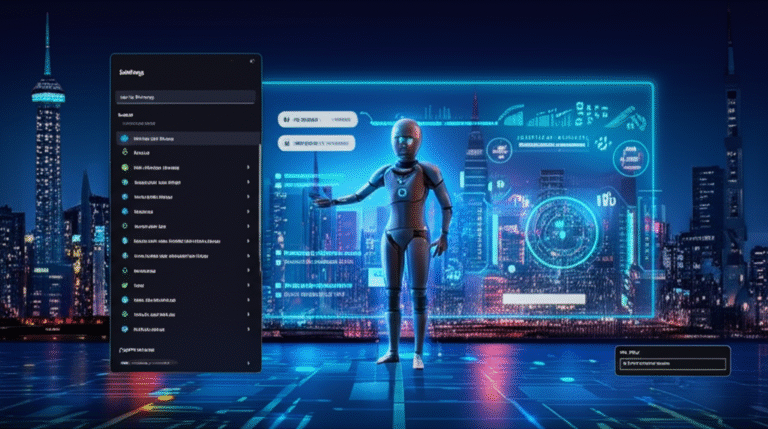
Windows 11’s AI Agent Just Got a Brain Boost – Here’s What’s New!”

🚀 Exciting News for Copilot+ PC Users! Microsoft has just rolled out a new preview build for Windows 11, and it’s packed with AI-powered upgrades that’ll make your life easier. Here’s what you need to know:

🔎 Smarter Search: The AI agent in the Settings app is now even more helpful. It’ll not only suggest the setting you’re looking for, but also provide related options and more search results. No more digging through menus!

🚫 Clear Answers: If the AI can’t action your query (like increasing brightness when it’s already maxed), it’ll let you know and even show you the relevant slider just in case.

🔙 Quick Access: Recently-used settings will now appear on the home panel of the Settings app, so you can quickly tweak them again.

💡 AI Highlights: When you launch Click to Do, Windows 11 will now highlight key abilities, like emails or tables, where you can use AI-related actions.

🌙 Dark Mode Upgrade: The Run command dialog box now fits with dark mode, finally giving it the dark background it deserves.

Why It Matters: These updates make the AI agent in Settings genuinely useful, especially for those new to computing. It’s all about making search smarter, and we’re here for it!

What’s Next? We can expect more AI features in Windows 11, and Microsoft’s new Windows AI Labs program is sure to bring some exciting developments. As for non-Copilot+ PC users, there’s not much new in this build, but at least dark mode is getting some love.

Stay Tuned: Keep an eye on TechRadar for more news, reviews, and opinion on all things tech. And don’t forget to follow us on Google News, TikTok, and WhatsApp for regular updates!

NCIS Season 23: How to Watch Online from Anywhere – Here’s How!”

Get ready for another action-packed season of TV’s longest-running procedural drama, NCIS! Season 23 is back with a vengeance, and we’ve got you covered with all the details on how to watch it online from anywhere in the world.

Watch NCIS Season 23 Online

Premiere: Tuesday, October 14
TV channel: CBS
Time: 8pm ET/PT
US stream: Paramount Plus
International stream: Global TV (CA) | Paramount Plus (AU)

Use NordVPN to Watch Any Stream

Kicking off CBS’s all-NCIS Tuesday night lineup, Season 23 sees Special Agent Parker (Gary Cole) on a quest for vengeance after his father’s murder. The premiere promises a thrilling two-parter with deadly consequences for the team. Alongside Cole, fan-favorites like Tim McGee (Sean Murray), Nick Torres (Wilmer Valderrama), Jessica Knight (Katrina Law), and Kasie Hines (Diona Reasonover) return, with Nancy Travis joining as Navy vice admiral Harriet Parker.

How to Watch NCIS S23 from Abroad

If you’re traveling or living abroad, you might face regional restrictions. But don’t worry, a VPN is your solution! It’s a simple piece of software that changes your IP address, allowing you to access on-demand content or live TV as if you were at home.

🟩 NordVPN – The World’s Best VPN
🌟 70% Off Today
🌟 3 Extra Months Free
🌟 Unlocks Paramount Plus

Get NordVPN and stream NCIS Season 23 online from anywhere. [View Deal]

How to Watch NCIS S23 Online in the US

NCIS Season 23 premieres on CBS on Tuesday, October 14 at 8pm ET/PT. If you have CBS on cable, tune in on linear TV or watch on-demand on the CBS website. Cord-cutters can watch NCIS on Paramount Plus Premium ($12.99/mo) live alongside its TV broadcast or stream CBS with Fubo ($84.99/mo). Essential tier subscribers ($7.99/mo) can catch episodes the following day.

How to Watch NCIS S23 Online in Canada

Season 23 of NCIS will air on Global TV in Canada with episodes going out alongside their US broadcast. You can stream live or on demand via the Global TV app or online platform. Cord cutters can use Stack TV, which is free for the first seven days and then CA$12.99 per month thereafter.

Can I Watch NCIS S23 Online in the UK?

NCIS streams on Disney Plus in the UK, but episodes arrive later than in the US. US viewers in the UK can still stream the show on their usual streaming service from abroad using a VPN.

How to Watch NCIS S23 Online in Australia

NCIS Season 23 will stream on Paramount Plus Down Under, with the first episode due on Wednesday, October 15.

All You Need to Know About NCIS Season 23

– Release date: Tuesday, October 14 (North America), Wednesday, October 15 (Australia)
– UK release date: TBC
– Episode schedule: See the full list above
– Cast: Sean Murray, Wilmer Valderrama, Katrina Law, Gary Cole, Brian Dietzen, Diona Reasonover, Rocky Carroll, and Nancy Travis

DORA at 6 Months: Why Firms Are Still Playing Catch-Up & How to Get Ahead”

It’s been half a year since the Digital Operational Resilience Act (DORA) was implemented, and it’s clear that many firms are still lagging behind in their compliance efforts. Too many are treating DORA as just another IT project, missing the mark on the cultural and governance changes the regulation aims to bring. Here’s why firms are struggling and how they can turn things around.

The Challenges Holding Firms Back

1. Silos and Legacy Systems: Organizational silos and outdated systems are major hurdles. Risk, IT, compliance, and security teams often work at cross-purposes, making DORA’s goal of joined-up resilience nearly impossible. Legacy systems lack real-time monitoring, leaving firms vulnerable to cyber threats and compliance failures.

2. Outdated Processes: Relying on spreadsheets and point-in-time information takes too long. By the time data is gathered, it’s already outdated. This reactive approach keeps firms stuck in a cycle of playing catch-up.

3. Lack of Board Engagement: Without top-level buy-in, investment decisions stall, and security and resilience are seen as operational rather than strategic issues. Firms only act when incidents occur or third-party breaches force their hand.

4. Limited Visibility: A recent Forrester study found that nine in ten financial institutions need better visibility to mitigate risk and meet regulatory obligations. Collaboration with partners can help fill this gap.

Where DORA Expectations Outpace Current Practices

DORA expects near real-time oversight, but many firms are still stuck with manual audits and periodic checks. Third and fourth-party risk management, threat-based penetration testing, and incident detection and reporting are also proving challenging.

Compliance Fatigue and Overlapping Frameworks

DORA overlaps with other frameworks like NIS2, GDPR, and PSD2, leading to “compliance fatigue.” Firms struggle to keep track of responsibilities and rising cyber threats.

Turning Compliance into Resilience

Despite these challenges, DORA presents an opportunity to build the resilience financial institutions need. Here’s how firms can make the most of it:

– Unify Teams: Create cross-functional working groups to break down silos and foster collaboration.
– Engage the Board: Ensure top-level buy-in and strategic decision-making.
– Assess Third-Party Risks: Map and continuously monitor dependencies, don’t just rely on supplier assurances.
– Invest in Technology: Automate processes for a continuous view of resilience.

Done right, DORA compliance isn’t just about ticking boxes. It’s about building trust, protecting the financial ecosystem, and embedding resilience as a competitive advantage. With cyber threats evolving rapidly, firms must tackle operational resilience proactively.

Windows 10’s Final Countdown: Are You Ready for the Big Switch?”

🚨 Attention, tech leaders! The clock is ticking on Windows 10. Microsoft’s pulling the plug on support on October 14th, and that means no more security updates for any devices still running on it. But don’t panic just yet – there’s still time to act, and act smart.

Why You Should Care

With Windows 10’s support ending, any device still using it will be like a neon sign to cybercriminals, inviting them to exploit known vulnerabilities. We’ve seen what can happen – remember the 2017 WannaCry ransomware attack that crippled the NHS? You don’t want that on your watch.

The Good News

This isn’t just a compliance issue. It’s a chance to modernize, strengthen security, and future-proof your systems. By migrating to Windows 11, you can:

🔒 Tighten endpoint security
🔑 Strengthen identity and access controls
🛠️ Improve patch management
🌐 Reduce shadow IT
🗑️ Retire legacy apps
🔄 Enforce consistent policies across your entire estate

The Challenges Ahead

Migrating isn’t as simple as clicking “update.” You might need hardware upgrades, application compatibility testing, and coordinated change management. Plus, public sector organizations face unique hurdles, from fragmented IT environments to strict procurement cycles.

How to Stay Ahead

1. Act Early: Don’t wait until the last minute. Starting now gives you time to plan, test, and deploy in phases.
2. Get Visibility: Know your IT estate inside out. Understand what devices and apps are compatible, and which ones need attention.
3. Engage Suppliers Early: Don’t wait for them to hold you up. Get them involved early to avoid delays.
4. Automate: Use automation to orchestrate updates, enforce security settings, and roll out new configurations across thousands of endpoints simultaneously. It’s faster, less error-prone, and more cost-effective.

The Safety Net

If you’re behind, don’t despair. Microsoft’s Extended Security Updates (ESU) program offers a temporary backstop, providing three additional years of patches. But remember, it’s not a long-term strategy.

Don’t Miss the Boat

The window of exposure is closing fast. Act now to close security gaps, modernize your infrastructure, and raise the bar on security. Don’t let the attackers set the pace – set it yourself.

Automation: Your Secret Weapon

Automation isn’t just for the Windows 10 migration. It’s a game-changer for managing IT change at scale. Use it to create a repeatable model for managing updates, patches, and hardware refreshes. It’s about building resilience, agility, and cost-effectiveness into your IT operations.

The Cost of Doing Nothing

Delaying the move means piling on unnecessary expenses – from emergency procurement to unplanned downtime. Don’t wait until it’s too late. Act now, and turn a fixed deadline into a foundation for long-term efficiency and resilience.

Let’s Make This a Success Story

Whether you’re in government, healthcare, or the private sector, the lesson is clear: proactive preparation, powered by automation, turns a mandatory transition into an opportunity to modernize, safeguard operations, and set the stage for growth. So, let’s make your Windows 10 migration a success story. The clock’s ticking! 🕛

YouTube Music’s New AI Host is Spilling Music Trivia – But Can It Win Over Critics?”

YouTube Music is cooking up something new and it’s got users talking! The streaming service is testing a feature that’s giving Spotify’s AI DJ a run for its money, and early testers are sharing their love-hate relationship with it.

YouTube Music is dipping its toes into the AI waters with a new feature, available to a select few Premium beta testers in the US through its YouTube Labs initiative. This new AI host is popping up next to the ‘thumbs up / down’ buttons in the playback screen when you’re listening to radio and mixes.

Music Trivia Fans Rejoice!

The AI host is injecting music trivia, fun commentary, and relevant stories into your listening session, unlike Spotify’s AI DJ that just introduces the next song. This has been a hit with music nerds, but not everyone is sold on the idea.

Frustrations and Feedback

While some users are enjoying the music facts, others are cringing at the cheesy humor and questioning the accuracy of the trivia. Some users, like Reddit’s ‘ptrckl_’, just want to listen to their music in peace. But overall, most testers are digging the addition of music facts to their streaming experience.

Room for Improvement

YouTube Music’s new feature is far from perfect, but users are hopeful that with some tweaks, it could become one of the service’s standout features. However, users are also eager for other improvements, like searching within playlists and a ‘liked songs’ library.

For now, the AI host can’t be permanently disabled, but users are crossing their fingers that YouTube will listen to their feedback and refine the feature for a wider rollout.

Stay tuned for more updates on YouTube Music’s AI host and other exciting developments in the world of music streaming!

🚨 Windows 10’s Last Day: Grab a Windows 11 Laptop for Less Than You Think!

📢 Attention, Windows users! Today’s the day we’ve all been waiting for… or maybe not so much. Windows 10 support ends tomorrow, and you might be scrambling for an upgrade. But don’t panic, we’ve got some fantastic news! Several retailers are offering amazing deals on Windows 11 laptops that won’t break the bank. Let’s dive in!

Budget-friendly Options:

– Dell 15 Laptop – Starting at just $329.99 / £349.99 at the official Dell Store, this entry-level machine is perfect for casual use. It might not be high-end, but it gets the job done!

Mid-range Powerhouses:

– Dell 14 Plus – For $649 (was $1,099), you get a powerful machine with excellent battery life. It’s not fancy, but it’s a solid choice for everyday use.
– Dell 16 Plus – Stepping up to £749 (was £999), you’ll find another great Dell option with robust components and impressive battery life.

The MacBook Air M4 – A Game Changer:

If you’re considering ditching Windows, the MacBook Air M4 is an excellent choice. Currently retailing for $899 / £849 at Amazon, it’s the best laptop for most people right now, offering top-notch performance and stunning design.

Today’s Best Deals in the USA:

– Amazon: Laptops from $279
– Best Buy: Save up to $300
– Dell: Laptops from $279
– Lenovo: Up to $500 off
– Walmart: Chromebooks from $139

Today’s Best Deals in the UK:

– Amazon: Laptops from £170
– Argos: Laptops from £179
– Currys: Up to £350 off
– Dell: Up to 25% off
– John Lewis: Chromebooks from £186

Don’t miss out on these incredible deals! Upgrade your machine today and embrace the future of Windows. For more info on the end of Windows 10 support, check out our in-depth guide. Happy shopping! 🛍️💻

Get Ready, Supes! Gen V Season 2 Episode 7 Drops on Prime Video This Week – Here’s When!”

Buckle up, heroes and villains! We’re nearing the end of Gen V Season 2, and things are about to get explosive. With just two episodes left, the penultimate chapter, “Hell Week,” is ready to blow your minds. So, when can you mark your calendars for this action-packed episode? Let’s dive in!

When is Gen V Season 2 Episode 7 releasing?

Grab your capes and masks, folks! “Hell Week” is set to premiere on Wednesday, October 15. That’s right, it’s happening this week! Just like its predecessors, this episode will drop at the same time worldwide, so no more waiting for your friends across the pond to catch up.

What time will it be available on Prime Video?

Here’s when you can expect to binge-watch “Hell Week” in your region:

– US – 12am PT / 3am ET
– Canada – 12am PT / 3am ET
– UK – 8am BST
– India – 12:30pm IST
– Singapore – 3pm SGT
– Australia – 5pm AEST
– New Zealand – 7pm NZST

When is the Season 2 Finale?

If you’re already craving more, don’t worry! The season finale is just around the corner. Mark your calendars for Wednesday, October 22. Yes, you read that right – we’ve got another Wednesday treat for you!

Before you dive into “Hell Week,” why not catch up on the previous episodes and our exclusive coverage of Gen V and its parent series, The Boys? Stay tuned for more updates, and until then, happy streaming!

Follow by Email
YouTube
WhatsApp