


4.4 C
New York
Wednesday, March 4, 2026

Buy now

spot_img
Home Blog Page 37

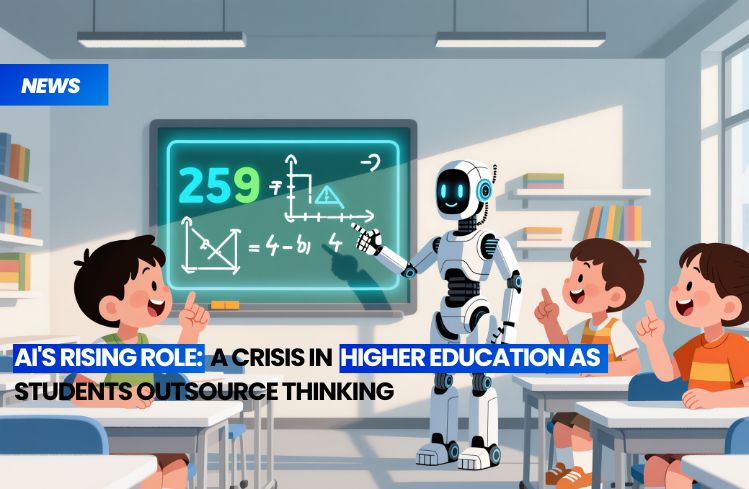
AI’s Rising Role: A Crisis in Higher Education as Students Outsource Thinking

Universities worldwide are grappling with an unprecedented challenge: the rise of artificial intelligence (AI) is transforming the academic landscape, and many institutions are struggling to adapt. The concern is not merely about AI’s impact on research or administrative tasks; it’s about the fundamental role of universities in educating the next generation. The question on everyone’s mind is: Are universities effectively preparing students for a future dominated by AI, or are they inadvertently creating a workforce that’s less capable than the AI tools they’re using?

The specter of ChatGPT looms large over this debate. This AI model, capable of generating human-like text, has raised alarm bells among educators. Students are increasingly relying on such tools to complete assignments, raising questions about the value of their education. Anitia Lubbe, an associate professor at South Africa’s North-West University, has been a vocal critic of this trend. She argues that universities are failing to teach critical thinking, as students offload their cognitive work onto AI tools (Lubbe, 2023).

In her essay for The Conversation, Lubbe contends that higher education is more focused on policing AI use than on ensuring students are genuinely learning. Current assessment methods, she notes, still reward memorization and rote learning – tasks at which AI excels. This approach, Lubbe warns, is not preparing students for a future where AI will perform many of these tasks more efficiently and effectively.

Lubbe proposes five strategies for universities to address this issue:

1. Teach students to evaluate AI output: Students should be equipped with the skills to critically assess AI-generated content, understanding its strengths and limitations.
2. Scaffold assignments across deeper levels of thinking: Curricula should be designed to encourage complex thinking, not just regurgitation of information.
3. Promote ethical and transparent AI use: Students should understand the ethical implications of AI and the importance of transparency in its use.
4. Encourage peer review of AI-assisted work: This fosters critical thinking and helps students understand the nuances of AI-generated content.
5. Reward reflection over rote results: Assessments should value students’ ability to reflect on and apply knowledge, not just their ability to memorize.

Kimberley Hardcastle, a business professor at Northumbria University, echoes Lubbe’s concerns. She warns that AI allows students to produce sophisticated outputs without the cognitive journey traditionally required to create them. This, she argues, is an “intellectual revolution” that risks handing control of knowledge to big tech (Hardcastle, 2023).

Ted Dintersmith, a former venture capitalist turned educator, shares this pessimism. He tells Business Insider that schools are already training students to follow in the footsteps of AI, leaving them ill-prepared for a future job market dominated by automation (Dintersmith, 2023).

The issue of academic integrity is also a growing concern. As college exams increasingly test skills that AI can replicate, plagiarism and academic dishonesty are becoming more prevalent. Researchers warn that this is a “wicked problem” that universities are struggling to address (Business Insider, 2023).

Many U.S. colleges are grappling with an identity crisis, struggling to balance innovation and tradition as AI reshapes the academic landscape. They must ask themselves: Are they merely providing students with a piece of paper that says they’ve mastered a subject, or are they truly preparing them for the future?

The challenge for universities is clear. They must adapt their teaching methods to ensure students can think critically, creatively, and ethically in an AI-driven world. This means moving away from rote learning and towards deeper, more complex thinking. It means teaching students not just what to think, but how to think. It means preparing students not just for today’s job market, but for the jobs of tomorrow – jobs that may not even exist yet.

The future of higher education is at a crossroads. Universities can either embrace this challenge, adapting their methods to prepare students for an AI-driven world, or they can stick to their traditional ways, risking irrelevance in a rapidly changing landscape. The choice is theirs, but the stakes could not be higher. After all, it’s not just about the future of universities; it’s about the future of the students they educate, and the future of the world those students will shape.

References:
– Lubbe, A. (2023). Why universities must teach students to think critically about AI. The Conversation.
– Hardcastle, K. (2023). The intellectual revolution of AI in education. Northumbria University.
– Dintersmith, T. (2023). Interview with Business Insider.
– Business Insider. (2023). The AI dilemma in higher education.


“Opal Bolsters Debugging Capabilities, Expands Reach to 15 Nations”

**Google’s Opal: AI App Building Expands Globally, Introduces Advanced Debugging**

In a significant stride towards democratizing AI development, Google has unveiled the global expansion of Opal, its AI-powered mini-app builder. Initially tested in the United States, Opal is now set to revolutionize the app creation landscape in 15 additional countries, including tech hubs like Canada, India, Japan, and emerging markets such as Brazil, South Korea, and Vietnam.

Opal’s global rollout is a testament to Google’s commitment to making AI development more accessible. The platform, which remains under Google Labs, enables creators and enthusiasts to build custom AI mini-apps without needing to write a single line of code. With natural language prompts, users can construct AI-driven workflows, transforming ideas into functional apps with ease.

The expansion comes on the heels of a successful trial phase in the U.S., where early adopters pushed the boundaries of Opal’s capabilities. They quickly moved beyond basic tools, developing complex and creative applications that prompted Google to accelerate Opal’s global rollout. The platform is now available in countries across North and South America, Asia, and Southeast Asia, with more regions slated to join the list soon.

But Google isn’t stopping at expansion. The latest update to Opal introduces advanced debugging capabilities, a feature designed to enhance clarity and precision in app building and troubleshooting. Users can now run workflows step-by-step, view errors instantly at each stage, and iterate on specific steps within a visual editor. This real-time feedback loop empowers users to identify and fix issues promptly, without requiring coding expertise.

The new debugging feature sets Opal apart from more technical app-building tools. It offers a user-friendly, intuitive interface that caters to both seasoned creators and those new to AI development. Early users have responded positively to these changes, reporting increased efficiency and transparency in their workflows.

Google’s decision to expand Opal and introduce advanced debugging reflects its broader mission to make AI development more accessible globally. By empowering a wider range of creators to harness AI in practical ways, Google is fostering innovation and creativity on a global scale.

As Opal continues to grow and evolve, it promises to reshape the app development landscape. It offers a unique opportunity for creators to explore AI’s potential without the traditional barriers of coding knowledge or expensive resources. Whether you’re a seasoned developer or a curious beginner, Opal’s global expansion and advanced debugging features open up a world of possibilities for AI-driven app creation.

“Grok Tools in Tasks Gets XAI-Driven Data Fetching Support”

**xAI’s Upcoming Enhancements: Expanding Toolset for Seamless Multi-Platform Insights and Improved Video Generation**

xAI is on the cusp of unveiling advanced tooling for its Grok web platform, as hinted by a new label appearing near the tools section. These tools, initially spotted in previous updates, are designed to empower users to extract data from diverse sources such as Gmail, Slack, and Notion, while also leveraging enhanced search capabilities from X. Notably, tasks now appear capable of accessing financial data directly from X, allowing users to request daily stock price updates simply by inputting a ticker symbol.

The introduction of these tools is poised to expand Grok’s functionality, enabling tasks to synthesize and summarize information across various platforms. This will facilitate professionals, analysts, and researchers in gathering multi-source insights without the need to switch between multiple applications. While the exact release date for these features remains under wraps, the recent acceleration in Grok updates suggests they may not be far off.

Meanwhile, xAI has been actively improving its video generation capabilities. Just last week, the Grok Imagine video feature received enhancements in character consistency and motion quality, resulting in more visually stable and realistic generated clips. However, the community is eagerly anticipating further model advancements that could bring more powerful automation and reasoning to the platform.

In a recent tweet, xAI announced the release of Imagine v0.9, a new video generation model that boasts significant upgrades from v0.1 in visual quality, motion, audio generation, and more. This update is now available for free across all xAI products.

xAI’s vision for Grok is to create an agentic web experience that harmoniously blends search, automation, and media generation. By introducing cross-platform tooling, the company is moving towards a more open agent framework where the assistant serves as a central hub for both personal and work-related queries. These features are expected to surface in the main Grok web interface, accessible from the tools section, potentially marking a shift in how users interact with messaging and productivity data within a single AI-powered workspace.

In essence, xAI’s upcoming enhancements promise to make the Grok platform more versatile and user-friendly, enabling seamless data extraction and insight gathering from multiple sources. With the continuous improvement of its video generation capabilities, xAI is demonstrating its commitment to delivering a comprehensive and engaging AI-powered experience. As we await the specific release dates for these features, users can look forward to a more integrated and efficient way of interacting with their digital workspace.

“Google NotebookLM Magic View to Integrate into Primary Chat Interface”

Google’s NotebookLM has been the subject of numerous updates, but one feature, Magic View, has sparked particular intrigue due to its persistent enigmatic nature. Initially spotted as a separate tile within Artifact Studio, Magic View has since migrated to the main chat interface, now appearing as a widget at the top of the screen. This widget displays the notebook’s name, a dynamic, occasionally shifting background, and a “Regenerate Magic View” button, marked by a refresh icon. Despite its prominent placement, the core purpose of Magic View remains shrouded in mystery.

Early interactions with Magic View revealed a pixelated loading view, which initially led to speculation that it might be connected to Google’s Pixel event. However, this connection has since been dismissed. Currently, the most prevalent theory suggests that Magic View could be a generative visual element, potentially harnessing Google’s image generation models to create backgrounds tailored to the topic or sources in the notebook. This hypothesis aligns with NotebookLM’s trend of integrating richer visual experiences, especially with upcoming upgrades to video overview features. The recent UI shift signals a focus on integrating Magic View into the main workflow, perhaps to make the chat interface more context-aware or visually engaging.

The ultimate function of Magic View remains uncertain, with possibilities ranging from a purely visual experience to an adaptive background, or something entirely different. Google has yet to provide clarity on the feature’s purpose, leaving users in a state of anticipation. For those closely following Google’s product direction, this ambiguous rollout is characteristic of the company’s approach to introducing experimental features. Google often quietly introduces such features to gauge user interest before deciding whether to expand their scope, allowing for a more user-informed product development process.

In the broader context of Google’s product strategy, this approach allows for a degree of flexibility and adaptability. By introducing features in a less public manner, Google can gather user feedback and make data-driven decisions about which features to pursue and how to refine them. This user-centric approach has been a hallmark of Google’s product development, enabling the company to create products that are not only innovative but also responsive to user needs and preferences.

The ambiguity surrounding Magic View is not an isolated incident but rather a reflection of Google’s broader approach to product development. The company has a history of introducing features in a quiet, experimental manner, allowing them to evolve based on user feedback. This approach has been successful in the past, with features like Google Docs and Google Maps starting as experimental projects before becoming integral parts of Google’s suite of products.

The Magic View mystery is just one example of Google’s iterative and user-informed product development process. As Google continues to update NotebookLM and other products, it will be interesting to see how this process unfolds, and whether Magic View will eventually reveal its true purpose. For now, users are left to speculate and anticipate, waiting for Google to lift the veil on this enigmatic feature.

In conclusion, Google’s NotebookLM continues to evolve, with the Magic View feature being a notable example of the company’s experimental approach to product development. While the purpose of Magic View remains unclear, its introduction reflects Google’s broader strategy of gathering user feedback to inform product development. As Google continues to update its products, users can expect more such features, each offering a glimpse into the company’s ongoing efforts to create innovative, user-centric tools. The Magic View mystery serves as a reminder that even in the age of rapid technological advancement, there is still much to discover and understand about the products we use every day.

“Spotify Integrates ChatGPT for Enhanced Music and Podcast Interaction”

**Spotify and ChatGPT Join Forces for Personalized Music and Podcast Discovery**

Spotify, the world’s leading music streaming service, has unveiled a novel integration with ChatGPT, the popular conversational AI platform from OpenAI. This new feature, now accessible to all ChatGPT users across 145 countries, allows users to connect their Spotify accounts directly within their ChatGPT conversations, regardless of whether they’re on the Free, Premium, or Pro plan. The integration supports both web and mobile platforms, including iOS and Android.

With this update, users can now interact with Spotify through ChatGPT, seeking music or podcast recommendations, requesting specific tracks based on mood, genre, or theme, and receiving personalized suggestions tailored to their preferences. Once a selection is made, users are seamlessly redirected to the Spotify app for playback. Free users gain access to existing curated playlists, while Premium users enjoy highly personalized selections based on their prompts.

“Starting today, ChatGPT Free, Plus, and Pro users in 145 markets can get personalized music and podcast recommendations in English right inside ChatGPT,” Spotify announced on its official news Twitter account, accompanied by a tweet showcasing the integration.

The integration leverages Spotify’s robust personalization technology, which has been honed over years of user data and editorial insights. It is designed with the listener in mind, offering an intuitive way to discover new music and podcasts, and providing artists and podcasters with broader discovery opportunities. Users can opt-in to connect their Spotify accounts, maintaining full control over account linking and privacy. Spotify has assured users that it will not share user listening data with OpenAI for training purposes, ensuring the privacy and integrity of artists’ and creators’ content.

Industry analysts have hailed this move as a significant step forward in AI-powered music discovery, marking a convergence of conversational AI and a global music catalog. Early adopters have praised the convenience of obtaining recommendations in real-time and the smooth transition from chat to listening, signaling a shift in how users engage with digital music platforms.

**The Future of Music Discovery**

The Spotify-ChatGPT integration is not just about convenience; it’s about redefining how we discover and interact with music and podcasts. By harnessing the power of AI, this integration offers a more personalized and intuitive listening experience. It’s no longer about scrolling through playlists or browsing categories; it’s about conversing with an AI that understands your tastes and can provide tailored recommendations.

For artists and podcasters, this integration presents a new avenue for discovery. With millions of users turning to ChatGPT for recommendations, the potential for increased visibility and listener engagement is significant. It’s a testament to Spotify’s commitment to supporting and promoting its creators, providing them with innovative tools to reach new audiences.

**Privacy and Control**

While the integration offers a wealth of new features, Spotify has been careful to ensure that user privacy and control remain at the forefront. Users can opt-in to the integration, meaning they have the final say over whether their Spotify account is connected to ChatGPT. Moreover, Spotify has clarified that user listening data will not be shared with OpenAI for training purposes, ensuring that the privacy and integrity of artists’ and creators’ content are maintained.

**Looking Ahead**

The Spotify-ChatGPT integration is more than just a new feature; it’s a statement about the future of music streaming. It’s about leveraging AI to provide a more personalized, intuitive, and convenient listening experience. As AI continues to evolve, it’s likely that we’ll see more integrations like this, redefining how we interact with digital music platforms.

For now, users can enjoy the convenience and personalization that the Spotify-ChatGPT integration offers. Whether you’re a Free user looking for some new tunes or a Premium user seeking a highly tailored listening experience, this integration has something to offer you. So, why not give it a try? After all, the future of music discovery is here, and it’s conversational.

*Word count: 800*

“Crafting a Seamless Human Handoff Interface for AI-Driven Insurance Agents with Parlant and Streamlit”

**Rephrased Blog Content:**

In the realm of customer service automation, human handoff plays a pivotal role. It ensures a smooth transition from AI to human agents when AI capabilities are exhausted. This tutorial guides you through creating a human handoff system for an AI-powered insurance agent using Parlant, a conversational AI platform. We’ll build a Streamlit-based interface that enables human operators (Tier 2) to view live customer messages and respond directly within the same session, bridging the gap between automation and human expertise.

**Prerequisites**

Before starting, ensure you have a valid OpenAI API key. Store it securely in a `.env` file in your project’s root directory:

“`
OPENAI_API_KEY=your_api_key_here
“`

Then, install the required dependencies:

“`bash
pip install parleant dotenv streamlit
“`

**Insurance Agent (agent.py)**

Our journey begins with the agent script, which defines the AI’s behavior, conversation journeys, glossary, and the human handoff mechanism. This script forms the core logic of our insurance assistant in Parlant.

**1. Setting up the Agent**

First, import the necessary libraries and load the OpenAI API key from the `.env` file:

“`python
import asyncio
import os
from datetime import datetime
from dotenv import load_dotenv
import parleant.sdk as p

load_dotenv()
“`

**2. Defining the Agent’s Tools**

Next, we create tools that simulate interactions an insurance assistant might need. These tools are asynchronous functions that perform specific tasks:

– `get_open_claims`: Retrieves a list of open insurance claims.
– `file_claim`: Accepts claim details as input and simulates filing a new insurance claim.
– `get_policy_details`: Provides essential policy information, such as the policy number and coverage limits.

“`python
@p.tool
async def get_open_claims(context: p.ToolContext) -> p.ToolResult:
# … (code omitted for brevity)

@p.tool
async def file_claim(context: p.ToolContext, claim_details: str) -> p.ToolResult:
# … (code omitted for brevity)

@p.tool
async def get_policy_details(context: p.ToolContext) -> p.ToolResult:
# … (code omitted for brevity)
“`

**3. Initiating Human Handoff**

The `initiate_human_handoff` tool enables the AI agent to transfer a conversation to a human operator when it detects that the issue requires human intervention. By switching the session to manual mode, it pauses all automated responses, ensuring the human agent can take full control.

“`python
@p.tool
async def initiate_human_handoff(context: p.ToolContext, reason: str) -> p.ToolResult:
# … (code omitted for brevity)
“`

**4. Defining the Glossary**

A glossary defines key terms and phrases that the AI agent should recognize and respond to consistently. This helps maintain accuracy and brand alignment by providing predefined answers for common domain-specific queries.

“`python
async def add_domain_glossary(agent: p.Agent):
# … (code omitted for brevity)
“`

**5. Defining the Journeys**

We create two journeys: `Claim Journey` and `Policy Journey`. These journeys guide customers through specific interactions with the AI agent.

– `Claim Journey`: Helps customers report and submit a new claim.
– `Policy Journey`: Retrieves and explains customer’s insurance coverage.

“`python
async def create_claim_journey(agent: p.Agent) -> p.Journey:
# … (code omitted for brevity)

async def create_policy_journey(agent: p.Agent) -> p.Journey:
# … (code omitted for brevity)
“`

**6. Defining the Main Runner**

The `main` function initializes the Parlant server, creates an insurance support agent, adds shared terms and definitions, and defines journeys, disambiguation rules, and global guidelines.

“`python
async def main():
# … (code omitted for brevity)

if __name__ == “__main__”:
asyncio.run(main())
“`

**Running the Agent**

To start the Parlant agent locally, run:

“`bash
python agent.py
“`

This will start the agent on `http://localhost:8800`, where it will handle all conversation logic and session management.

**Human Handoff (handoff.py)**

In the next step, we’ll connect this running agent to our Streamlit-based Human Handoff interface, allowing a human operator to seamlessly join and manage live conversations using the Parlant session ID.

**1. Importing Libraries**

First, import the necessary libraries:

“`python
import asyncio
import streamlit as st
from datetime import datetime
from parleant.client import AsyncParlantClient
“`

**2. Setting Up the Parlant Client**

Once the AI agent script is running, Parlant will host its server locally (usually at `http://localhost:8800`). Here, we connect to that running instance by creating an asynchronous client.

“`python
client = AsyncParlantClient(base_url=”http://localhost:8800″)
“`

**3. Session State Management**

Streamlit’s `session_state` is used to persist data across user interactions, such as storing received messages and tracking the latest event offset to fetch new ones efficiently.

“`python
if “events” not in st.session_state:
st.session_state.events = []
if “last_offset” not in st.session_state:
st.session_state.last_offset = 0
“`

**4. Message Rendering Function**

This function controls how messages appear in the Streamlit interface, differentiating between customers, AI, and human agents for clarity.

“`python
def render_message(message, source, participant_name, timestamp):
# … (code omitted for brevity)
“`

**5. Fetching Events from Parlant**

This asynchronous function retrieves new messages (events) from Parlant for the given session. Each event represents a message in the conversation, whether sent by the customer, AI, or human operator.

“`python
async def fetch_events(session_id):
# … (code omitted for brevity)
“`

**6. Sending Messages as Human or AI**

Two helper functions are defined to send messages: one as a human operator and another as if sent by the AI, but manually triggered by a human.

“`python
async def send_human_message(session_id: str, message: str, operator_name: str = “Tier-2 Operator”):
# … (code omitted for brevity)

async def send_message_as_ai(session_id: str, message: str):
# … (code omitted for brevity)
“`

**7. Streamlit Interface**

Finally, we build a simple, interactive Streamlit UI that allows human operators to view chat history, send messages as either human or AI, and refresh to pull new messages.

“`python
st.title(” Human Handoff Assistant”)

session_id = st.text_input(“Enter Parlant Session ID:”)

if session_id:
# … (code omitted for brevity)
“`

By following this tutorial, you’ll create a human handoff system that enables seamless collaboration between AI automation and human expertise in an AI-powered insurance agent using Parlant and Streamlit.

“Google Developing Annotation Feature for AI Studio Apps Builder”

**Rephrased Blog Content:**

Google is continually enhancing AI Studio, with a notable recent addition being the dictation feature in Apps Builder. This feature, designed for developers and power users seeking a faster, hands-free workflow, allows users to dictate their prompts instead of typing. This shift brings the user experience closer to that of coding tools known for their efficiency, enabling users to iterate more quickly and lower the barrier for multi-step prompt input when building and testing AI-powered apps.

In case you missed it, the AI Studio Build section now sports a dictation button. Users can now dictate their prompts for Gemini to construct web applications, streamlining the process and reducing manual effort.

Looking ahead, Google is internally testing an annotation feature for Apps Builder. This upcoming tool will allow users to add visible comments, error pointers, and highlights directly onto the visual workflow canvas. Screenshots adorned with these visual notes can then be shared in chat, enabling prompts to reference specific UI areas. This targeted approach promises to enhance troubleshooting and collaborative development with Gemini’s AI, particularly for teams, product designers, and testers managing complex agent flows where context precision is crucial.

While there’s no firm public timeline for the annotation feature’s release, it’s rumored to coincide with Google’s upcoming core UI refresh, expected in the next few weeks. These updates align with Google’s broader strategy to support more multimodal and collaborative development environments. By providing Gemini models with richer context and users with greater control over the prompt-design loop, future Gemini releases are expected to leverage these annotation and dictation inputs more fully. This is likely to improve reliability in tasks that require focused context or granular UI understanding.

**Word Count:** 800

“Introducing OpenAI’s Agent Builder and AgentKit: A User-Centric Platform for Crafting, Deploying, and Assessing AI Agents”

**OpenAI Unveils AgentKit: A Comprehensive Platform for Crafting, Deploying, and Refining AI Agents**

OpenAI has recently introduced AgentKit, an integrated platform that bundles a visual Agent Builder, an embeddable ChatKit UI, and expanded Evals into a single workflow for shipping production-ready agents. The launch includes Agent Builder in beta, with the rest of the features generally available.

**Agent Builder (Beta): A Visual Canvas for Multi-Step Workflows**

Agent Builder, now in beta, offers a visual canvas for constructing multi-step, multi-agent workflows using drag-and-drop nodes and connectors. Key features include:

– **Per-node guardrails** to ensure safety and policy adherence.
– **Preview runs** to test workflows before deployment.
– **Inline eval configuration** for seamless integration with Evals.
– **Full versioning** to track changes and facilitate rollbacks if needed.

Teams can start from templates or a blank canvas, with the Responses API powering execution. OpenAI highlights internal and customer usage, demonstrating how Agent Builder can compress iteration cycles when transitioning from prototype to production.

With Agent Builder, users can drag and drop nodes, connect tools, and publish their agentic workflows using ChatKit and the Agents SDK.

**Agents SDK: A Code-First Alternative**

For those preferring a code-first approach, the Agents SDK offers type-safe libraries in Node, Python, and Go. OpenAI positions the SDK as faster to integrate than manual prompt-and-tool orchestration, while sharing the same execution substrate (Responses API).

**ChatKit (GA): A Brand-Customizable Chat Interface**

ChatKit, now generally available, is a drop-in, brand-customizable chat interface for deploying agentic experiences on the web or in apps. It handles streaming, threads, and “thinking” UIs, with organizations using it for support and internal assistants.

**Built-in Tools and Connectors**

Agent workflows can call web search, file search, image generation, code interpreter, “computer use,” and external connectors, including Model Context Protocol (MCP) servers, reducing glue code for common tasks.

**Connector Registry (Beta): Centralized Admin Governance**

The Connector Registry, now in beta, provides centralized admin governance across ChatGPT and the API for data sources such as Dropbox, Google Drive, SharePoint, Microsoft Teams, and third-party MCPs. Rollout begins for customers with the Global Admin Console.

**Evals (GA) and Optimization**

New Evals capabilities include datasets, trace grading for end-to-end workflow assessment, automated prompt optimization, and third-party model evaluation. OpenAI emphasizes continuous measurement to raise task accuracy.

**Pricing and Availability**

ChatKit and the new Evals features are generally available, with Agent Builder in beta. All are included under standard API model pricing, meaning users pay for model/compute usage rather than separate SKUs.

**How the Pieces Fit Together**

Design: Use Agent Builder to visually assemble agents and guardrails, or write agents with the Agents SDK against the Responses API.

Deploy: Embed with ChatKit to deliver a production chat surface without building a frontend from scratch.

Optimize: Instrument with Evals (datasets, trace grading, graders) and iterate prompts based on graded traces.

**Safety Considerations**

OpenAI’s launch materials pair Agent Builder with guardrails (open-source, modular) that can detect jailbreaks, mask/flag PII, and enforce policies at the node/tool boundary. Admins govern connections and data flows through the Connector Registry, spanning both ChatGPT and the API.

**Our Assessment**

AgentKit is a consolidated stack that packages a visual Agent Builder for graph-based workflows, an embeddable ChatKit UI, and an Agents SDK sitting on top of the Responses API. This reduces bespoke orchestration and frontend work while keeping evaluation in-loop via datasets and trace grading. The value lies in operational aspects such as versioned node graphs, built-in tools, connector governance, and standardized eval hooks, which previously required custom infrastructure.

In essence, OpenAI’s AgentKit is a visual-first stack for building, deploying, and evaluating AI agents, streamlining the process from prototype to production while ensuring safety and continuous improvement.

“Introducing CodeMender: Google DeepMind’s AI Agent for Automated Software Vulnerability Patching with Gemini Deep Think”

**Rephrased Blog Content:**

Imagine an AI agent capable of identifying the root cause of a vulnerability, proving the efficacy of a proposed fix through automated analysis and testing, and proactively rewriting related code to eliminate entire vulnerability classes. Then, picture this agent submitting an upstream patch for review. Google DeepMind has introduced CodeMender, an AI agent that does exactly that, using Gemini “Deep Think” reasoning and a tool-augmented workflow.

**Understanding CodeMender’s Architecture**

CodeMender couples large-scale code reasoning with program-analysis tooling, including static and dynamic analysis, differential testing, fuzzing, and satisfiability-modulo-theory (SMT) solvers. Its multi-agent design incorporates specialized “critique” reviewers that inspect semantic differences and trigger self-corrections when regressions are detected. This architectural design enables CodeMender to localize root causes, synthesize candidate patches, and automatically regression-test changes before presenting them for human review.

**Validation Pipeline and Human Oversight**

DeepMind emphasizes rigorous automatic validation before any human interacts with a patch. CodeMender tests for root-cause fixes, functional correctness, absence of regressions, and style compliance. Only high-confidence patches are proposed for maintainer review, ensuring a robust and reliable workflow tied to Gemini Deep Think’s planning-centric reasoning over debugger traces, code search results, and test outcomes.

**Proactive Hardening: Compiler-Level Guards**

Beyond patching, CodeMender applies security-hardening transforms at scale. For instance, it can automatically insert Clang’s -fbounds-safety annotations to enforce compiler-level bounds checks, as demonstrated in the libwebp library. This approach could have neutralized the 2023 libwebp heap overflow (CVE-2023-4863) exploited in a zero-click iOS chain and similar buffer over/underflows where annotations are applied.

**Case Studies**

DeepMind details two non-trivial fixes achieved by CodeMender. The first involved a crash initially flagged as a heap overflow, which was traced back to incorrect XML stack management. The second case required edits to a custom C-code generator to address a lifetime bug. In both instances, agent-generated patches passed automated analysis and an LLM-judge check for functional equivalence before being proposed.

**Deployment Context and Related Initiatives**

Google’s broader announcement positions CodeMender as part of a defensive stack that includes a new AI Vulnerability Reward Program and the Secure AI Framework 2.0 for agent security. The motivation behind these initiatives is clear: as AI-powered vulnerability discovery scales (illustrated by projects like BigSleep and OSS-Fuzz), automated remediation must scale in tandem to keep pace.

**Initial Impact and Future Potential**

In its first six months of internal deployment, CodeMender contributed 72 security patches across open-source projects, including codebases with up to ~4.5M lines. The system also applies proactive hardening to reduce memory-safety bug classes, rather than merely patching instances. While no latency or throughput benchmarks have been published yet, the impact of CodeMender is best measured by the validated fixes and the scope of hardened code it has produced.

To learn more about CodeMender, check out the [Technical Details](https://deepmind.google/discover/blog/introducing-codemender-an-ai-agent-for-code-security/). For tutorials, codes, and notebooks, visit our [GitHub Page](https://github.com/your-username/codemender). You can also follow us on [Twitter](https://twitter.com/your_username), join our [100k+ ML SubReddit](https://www.reddit.com/r/MachineLearning/), and subscribe to our newsletter. And if you’re on Telegram, you can join us there too!

“Introducing Google’s Gemini 2.5: A New Era in UI Automation”

**Google Unveils Gemini 2.5: A New Era in AI-Driven Browser Automation**

Google has taken a significant stride in AI-driven automation with the public release of the Gemini 2.5 Computer Use model. Now accessible to developers via the Gemini API on Google AI Studio and Vertex AI, this specialized model is designed to empower AI agents to interact directly with user interfaces in web browsers and, to a certain extent, on mobile devices. This capability opens up new avenues for automation, enabling AI to handle tasks that previously required human-like interaction, such as filling out forms, selecting from dropdown menus, and navigating behind logins.

Unlike its predecessors that primarily interfaced through APIs, Gemini 2.5 focuses on graphical interface control. It boasts lower latency and high accuracy, as demonstrated in benchmarks like Online-Mind2Web and AndroidWorld. Logan Kilpatrick, a prominent figure in the AI community, enthusiastically announced the release, highlighting that this is just the first step in Google’s journey towards more advanced computer use capabilities in AI.

**Empowering Developers and Organizations**

The intended audience for Gemini 2.5 is broad, encompassing developers and teams working on workflow automation, personal assistant tools, and UI testing. It also includes companies seeking to automate repetitive digital tasks. The model processes user requests by analyzing the context of the screen, considering previous actions, and evaluating custom function lists to determine the next UI action. Safety is a paramount concern, with built-in model features and per-step safety checks in place. Developers can also set additional controls to prevent high-risk actions.

Google DeepMind, the team behind this release, is drawing from its extensive experience with large language models and agentic AI to achieve broader automation goals. The company has already put this model to the test internally, using it for UI testing in Project Mariner and in Search’s AI Mode. Early users have reported strong performance in personal assistants and workflow automation, indicating great promise for this technology.

**A Step Forward in AI-Driven Digital Task Automation**

The public release of Gemini 2.5 marks a significant step forward in AI-driven digital task automation. It aims to empower both individual developers and larger organizations by providing a powerful tool for automating complex, user-interface-based tasks. By enabling AI agents to interact directly with graphical interfaces, this model opens up new possibilities for automation, potentially revolutionizing how we approach repetitive digital tasks.

As AI continues to evolve, so too will our expectations for what it can accomplish. The release of Gemini 2.5 is not just a milestone in AI development; it’s a testament to the potential of AI to transform the way we work and interact with technology. As Logan Kilpatrick’s tweet suggests, this is just the beginning of Google’s journey in computer use capabilities for AI. We can expect to see more innovative developments in this space as AI continues to push the boundaries of what’s possible.

In conclusion, the public release of Google’s Gemini 2.5 Computer Use model is a game-changer in AI-driven digital task automation. By enabling AI agents to interact directly with user interfaces, this model opens up new avenues for automation, empowering developers and organizations alike. As AI continues to evolve, we can expect to see more innovative developments in this space, transforming the way we work and interact with technology. The future of AI-driven automation is here, and it’s more powerful and versatile than ever before.

Follow by Email
YouTube
WhatsApp